






The self-hosted deploy platform
Git push deploys without Kubernetes. Push to a server you already run and Levelrail builds the image, checks its health, puts it live with HTTPS and keeps a rollback ready.
Git push deploys without Kubernetes.
The parts of a platform team you actually use, on hardware you control.
- Deploy on git pushAdd Levelrail as a remote and push. The build, the health check and the switch to the new version run on their own.
- HTTPS by defaultEach app goes live on its own address with a certificate, without a separate proxy to configure.
- Health checks before cutoverTraffic only moves to a new version after it answers its health check, so a broken build never replaces a working one.
- Logs in one placeBuild and runtime logs stream live in the dashboard, for every deploy.
- One-click rollbackThe previous version stays ready. Roll back from the dashboard when a release misbehaves.
- Your servers, your dataLevelrail runs on machines you already pay for and is open source under the Apache-2.0 licence.
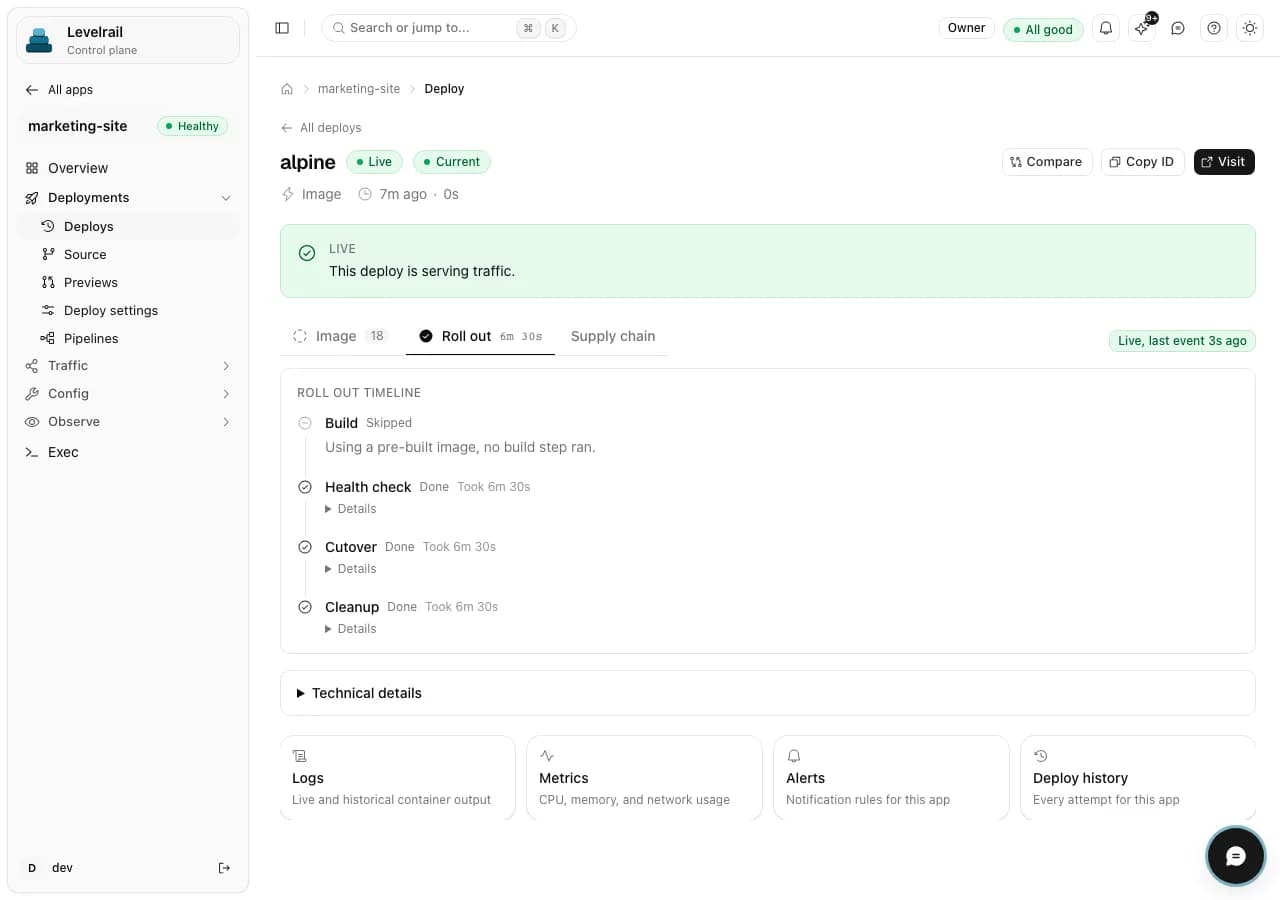
A deploy, from push to live.
A real Levelrail deploy page, with demo data.
curl -fsSL https://levelrail.com/install.sh | sudo shAbout Levelrail.
Do I need Kubernetes to run Levelrail?
No. Levelrail deploys containers on ordinary servers without Kubernetes, so there is no cluster to learn or keep alive.
How does a deploy work?
You run git push levelrail main. Levelrail builds an image, runs its health check, moves traffic to the new version with HTTPS and keeps the previous version ready for rollback.
What do I need to install it?
A Linux server you control. The install script downloads the binary, verifies its checksum and signature, and starts the control plane.
Can I roll back a bad release?
Yes. The previous version stays ready after each deploy, and you can roll back to it from the dashboard.
Is Levelrail open source?
Yes. Levelrail is open source under the Apache-2.0 licence, and the code is on GitHub.
Deploy on your own servers today.
Read the docs on levelrail.com, or start from the source on GitHub.